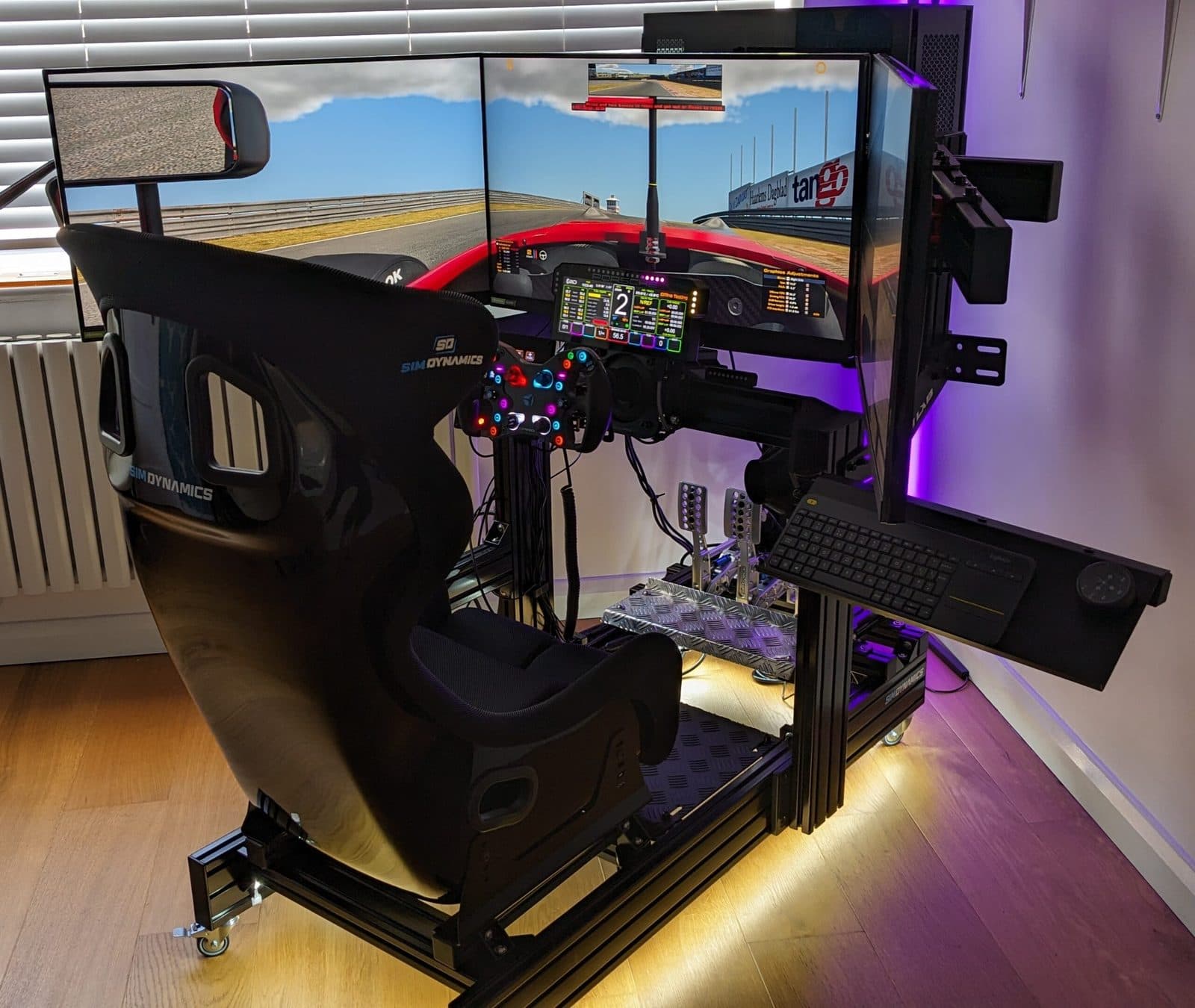
The display decides how much of the track you can see. Here is what to run for every type of racer, from a first rig to a triple 55-inch OLED build, with real prices and numbers.
Ask ten sim racers what made the biggest difference to their driving and most will name the wheelbase or the pedals. Then they build a rig around a single 27-inch monitor and wonder why they keep missing apexes and getting turned around in traffic.
The screen decides how much of the track you can see, how early you spot a car alongside you, and how natural your braking points feel. It is also the part of the rig most people quietly under-spec. In a 2024 OverTake community survey, only 12% of respondents ran triple screens and 13% ran VR. Everyone else was on a single screen or an ultrawide, and most of them were racing through a letterbox.
This guide covers what actually matters in a sim racing display, then walks through the best screen for each type of racer, with current pricing and the PC each setup needs. Near the end there is a short, honest section on OLED burn-in, because it comes up in almost every consultation we do.
What Actually Matters in a Sim Racing Screen
Spec sheets for gaming monitors are written for shooters. Four things matter for driving, in this order.
1. Field of view
Your eyes cover roughly 200 to 220 degrees horizontally. A 27-inch monitor at arm's length gives you about 28 degrees. That is why single-screen racers rely on radar overlays and virtual mirrors to know a car is beside them. A real driver just sees it.
Approximate horizontal coverage at normal seating distance. Sources: Coach Dave Academy, OverTake, Pimax, and published vision research.
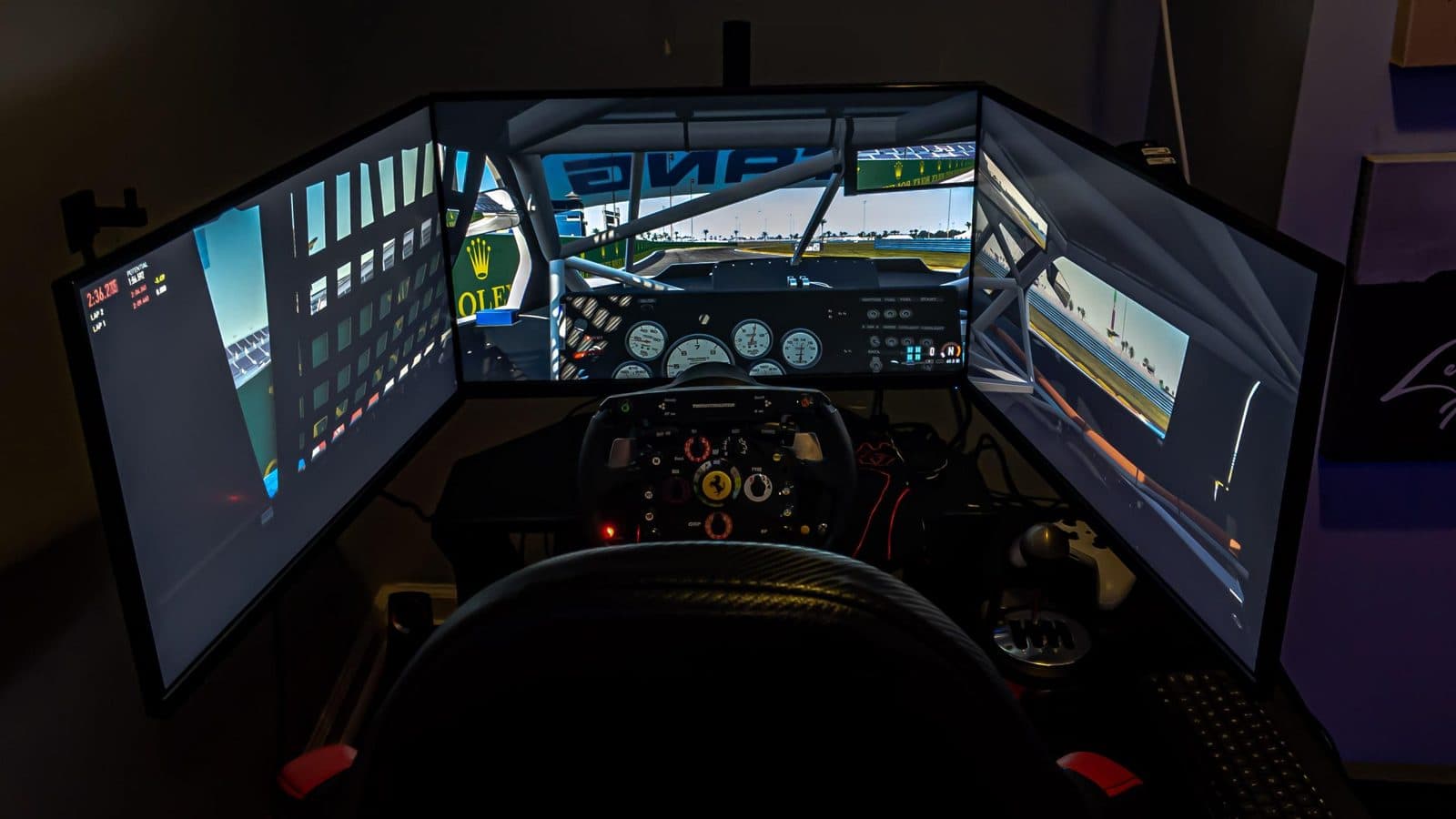
Triples get you closest to real vision. A properly angled set of three 32-inch monitors at 65 to 80 cm from your eyes lands around 165 degrees. When OverTake tested a triple 32-inch rig against a Pimax Crystal headset, the triples delivered nearly 160 degrees against the headset's 115.
2. Panel type
OLED lights every pixel individually, so blacks are true black, response time is effectively instant, and night races and rain look wayyyy better. This is the panel we spec on high-end builds. VA panels are what most curved gaming monitors use: strong contrast, easy to make in big curved sizes, cheaper, with some smearing in dark transitions. Mini-LED adds hundreds of dimming zones behind a VA or IPS panel for brightness, at the cost of some halo around bright objects. IPS has the best color accuracy and the weakest contrast, which matters more than you would think when you are reading brake markers at dusk. Trust me when I say this makes a difference.
3. Refresh rate and variable refresh
120 to 165 Hz is the floor for a serious rig and 240 Hz is a nice bonus. Past that, returns diminish quickly for driving. To be totally honest, it's hard to notice much difference over 120, but having some headroom helps ensure you don't ever dip down to the zone where you will notice. Another thing that matters is variable refresh rate (NVIDIA G-Sync or AMD FreeSync), which keeps the image smooth when your frame rate dips through a busy first corner of the race (where everyone is crashing into each other). Every screen recommended below supports it.
4. Resolution versus your graphics card
Pixel count is what your GPU actually pays for, and it climbs fast. A single 1440p monitor is 3.7 million pixels. Three of them is 11 million. Three 4K screens is 25 million. Three 5K2K screens is 33 million. You see where this is going... You need to choose the resolution tier and the PC together, or you end up with a beautiful set of screens that can barely run Tetris without looking grainy.
Not sure which of these fits your room, your budget, or the games you actually play? Tell us what you drive and we will spec the screens, the mount, and the PC to match.
Get My Custom Build Plan →The Four Ways to Build a Sim Racing Display
| Setup | Horizontal FOV | Width on the Rig | Screen Budget | Best For |
|---|---|---|---|---|
| Single 32" monitor | ~45–65° | About 2.5 ft | $250–$600 | First rigs, small rooms, console racers |
| Super ultrawide (45–52") | ~100° | 3.5–4 ft | $900–$2,000 | One screen that does everything, limited width |
| Triple monitors or TVs | 150–170° | 7–10 ft | $900–$6,000 | Competitive racing, leagues, endurance, full immersion |
| VR headset | 110–140° | None | $600–$2,200 | Depth perception, hot lapping, rigs where space is the constraint |
If you want the short answer: triples are the standard for high-end home simulators. Ultrawides are the compromise for rooms that cannot take a 7-foot-wide display. VR is a different experience rather than a cheaper one, and it suits some racers perfectly. The rest of this article goes racer by racer.
The Best Screen for Each Type of Sim Racer
The first rig: a single 32-inch 1440p monitor
If you are building your first setup, a 32-inch 1440p monitor at 144 to 165 Hz is the right starting point. A 1000R curved VA panel like Samsung's Odyssey G7 or G55C class runs $250 to $500 and does not need a monster PC. Mount it close, as near to the wheelbase as the rig allows, and set the in-game field of view with a calculator rather than by feel. Most beginners run the FOV far too wide, which makes every corner arrive later than it should.
One honest note: a single screen rarely becomes the center of a future triple setup, because the side monitors need to match it exactly and the model will have changed by then. Buy it as a good single screen, not as a down payment.
The one-screen enthusiast: 49-inch super ultrawide
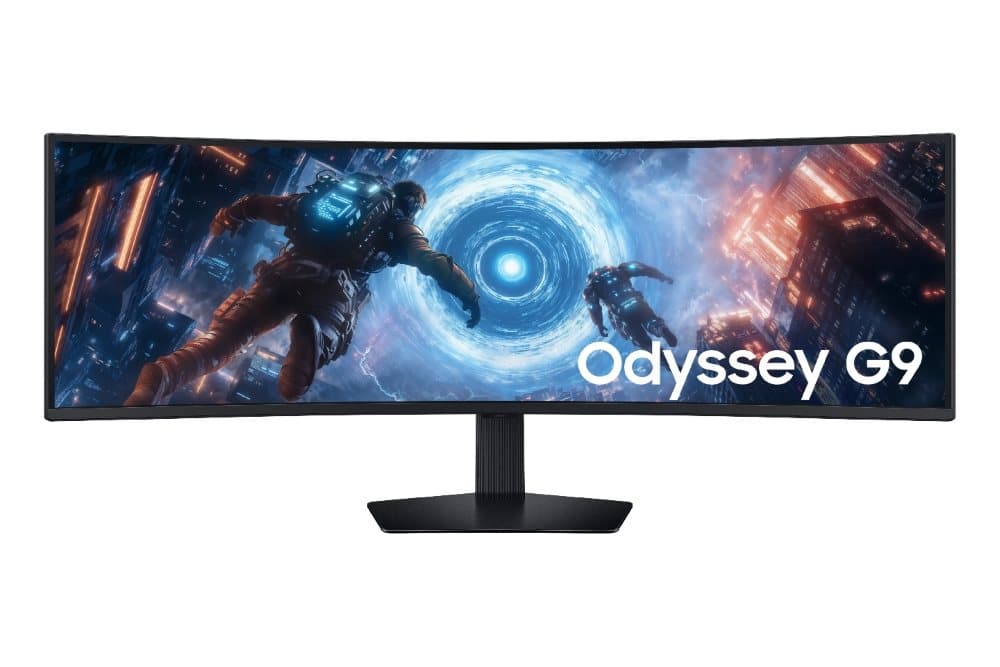
The Samsung Odyssey G9 is the default answer when the rig can only be about four feet wide. The current G91F is a 49-inch 5120×1440 VA panel with a 1000R curve, 144 Hz, and a $999.99 list price that regularly dips to around $700. If you want OLED, the Odyssey OLED G9 (G93SD or G95SD) steps up to 240 Hz and QD-OLED contrast for more money.
We spec the G9 on two-station commercial builds where each station has a hard width limit, and it is the right call there. What it cannot do is show you the car beside you. A 32:9 screen tops out near 100 degrees of view, so you will still be watching the radar.
The other single-screen option worth knowing is the 45-inch LG UltraGear OLED covered below. It is a taller 21:9 shape rather than 32:9, and LG's own line is that it offers 50% more screen area than a 49-inch Dual QHD panel. It is narrower and taller, which many racers prefer for formula cars where the halo and mirrors sit high in the view.
The competitive racer on a sensible budget: triple 32-inch 1440p
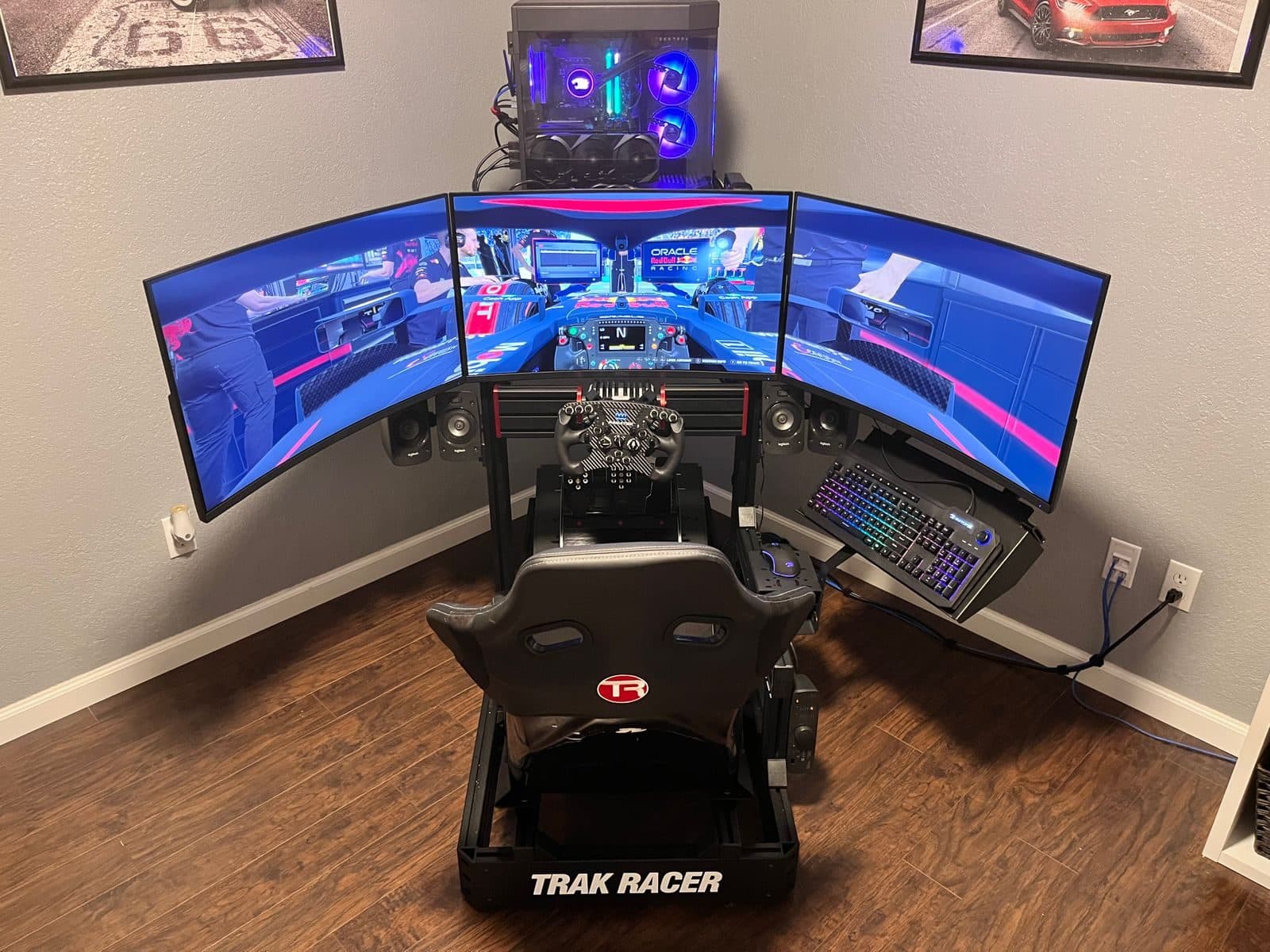
This is the workhorse triple. Three 32-inch 1440p monitors at 165 Hz cost roughly $300 to $400 each, need about seven feet of width, and give you the full peripheral picture for around $1,000 in screens. It is the setup most iRacing league drivers actually run, and it is the one we recommend when the budget for the whole rig is in the $9,000 to $12,000 range and you really want 3 screens.
Two things separate a good triple install from a frustrating one. First, the three panels must be angled so that the side screens sit at the same distance from your eyes as the center, which is not what most people do by eye. Second, the game has to be told the exact bezel width and angle. iRacing and Assetto Corsa Competizione render each screen with its own camera when set up properly, which removes the stretched, fish-eye look of a basic NVIDIA Surround setup.
The serious enthusiast: triple 45-inch LG UltraGear OLED
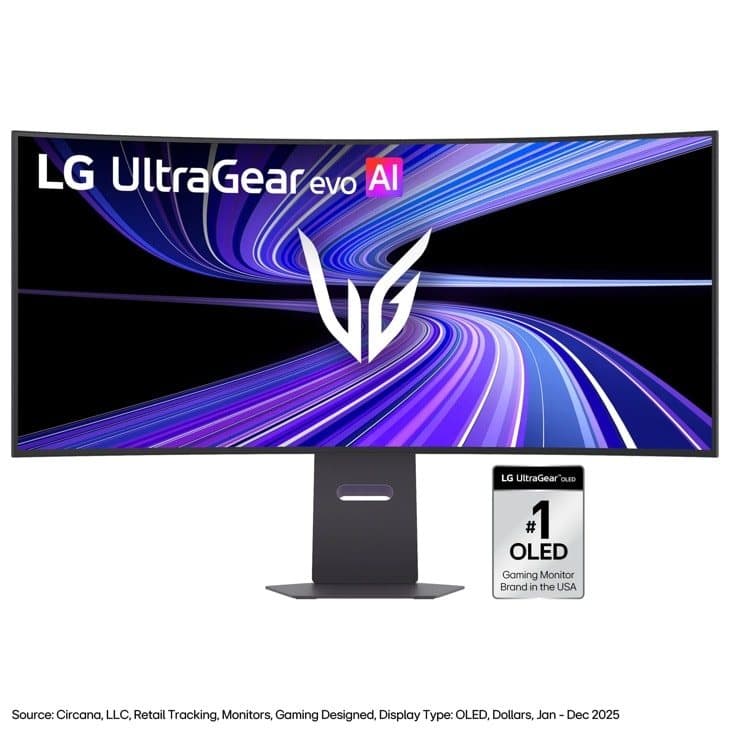
Three of LG's 45-inch curved OLEDs is the standard high-end sim racing display, and it is what we build most often on enthusiast rigs above the $15,000 mark. The 800R curve is the tightest on the market, so the three screens wrap into an almost continuous dome. Each panel is about 39 inches wide, and once the outer two are angled in, the whole array is around eight feet across.
There are two versions and the difference matters:
- LG 45GX900A (and the earlier 45GS95QE): 3440×1440 at 240 Hz. $1,699 list, and it has sold for under $900 during sale events. This is the one we spec for most customers.
- LG 45GX950A / 45GX950B: 5120×2160 at 165 Hz. $1,999 list, with street prices around $1,500 through 2026.
Why we lean toward the 1440p version: at normal sim racing distance the OLED contrast and response are what you notice, not the extra pixels, and three 1440p ultrawides can be driven properly by an RTX 5080. Three 5K2K panels is 33 million pixels and puts you firmly in RTX 5090 territory. Spend the difference on pedals.
One caution. These panels are fragile, and cracked screens from home mounting attempts are a real cost. They should be mounted once, on an integrated cockpit mount, by someone who does it every week.
A triple 45-inch OLED build is where a professional spec pays for itself. We source the screens, build the mount into the chassis, calibrate the angles and in-game FOV, and deliver it running.
Quote a Triple-Screen Build →The biggest picture in the house: triple 55-inch LG OLED TVs

A lot of people dismiss TVs for sim racing because older sets were stuck at 60 Hz and added input lag. That stopped being true a few years ago. LG's C-series OLEDs (C4, C5, and the 2026 C6) are 4K panels with HDMI 2.1 on all four ports and a 165 Hz refresh rate for PC gaming, and LG lists the C6 as G-Sync Compatible with a 0.1 ms response time. In practice they behave like very large OLED monitors.
The 55-inch C6 launched at $1,999.99, and at the time of writing LG's own store has it at $1,399.99. Three of them at that price is about $4,200 in screens, and you get OLED instead of mini-LED. The catch is size: each TV is 48 inches wide, so the finished triple is roughly ten feet across and needs a room to match.
If you have the square footage and the budget, this is just about as good as it gets.
The connection question is the one everyone asks. Most graphics cards have one HDMI 2.1 output and three DisplayPorts, so two of the three TVs run through active DisplayPort-to-HDMI 2.1 adapters. It is a $30 to $40 part and a five-minute job when you know which adapters pass 4K at 120 Hz or better, and a few hours of forum reading when you do not. That's why you should let Track Vision build this for you instead!
Also I will note, the PC has to be super serious here. Three 4K OLEDs is 25 million pixels, and the components we spec for it literally have to be top of the line, an RTX 5090 paired with a Ryzen 7 9800X3D-class CPU.
The new contender: triple 52-inch LG UltraGear evo 5K2K
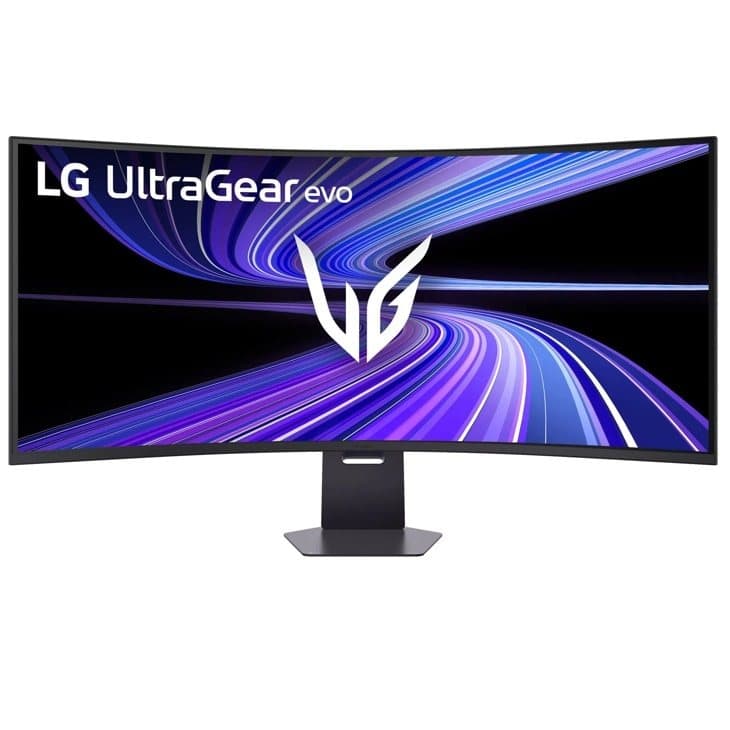
LG's 52-inch UltraGear evo (52G930B) landed in early 2026 and slots between the 45-inch OLEDs and the 55-inch TVs. It is a 5120×2160 panel at 240 Hz with a 1000R curve, DisplayHDR 600, and a $1,999.99 list price. The vertical height matches a 42-inch 16:9 screen, so you get the width of a 55 without the height, and three of them come in around nine feet wide.
Two things to be clear about. First, it is not OLED. We've found that it is a VA panel with roughly 4000:1 native contrast. That is very good for an LCD and it will not burn in, but it is not the same picture as the 45-inch OLEDs. Second, there is no lower-resolution version. Every one of these is 5K2K, so a triple set is a 33-million-pixel RTX 5090 build with DLSS doing real work.
Where it wins is the shape. The 1000R curve and 21:9 ratio are the same geometry that made the Odyssey Ark famous, at well under the Ark's price, with 240 Hz and DisplayPort 2.1. Transparently, we haven't gotten much experience with these, but it is on the shortlist for anyone who wants the big curved dome without a 55-inch TV's height.
What happened to the Samsung Odyssey Ark
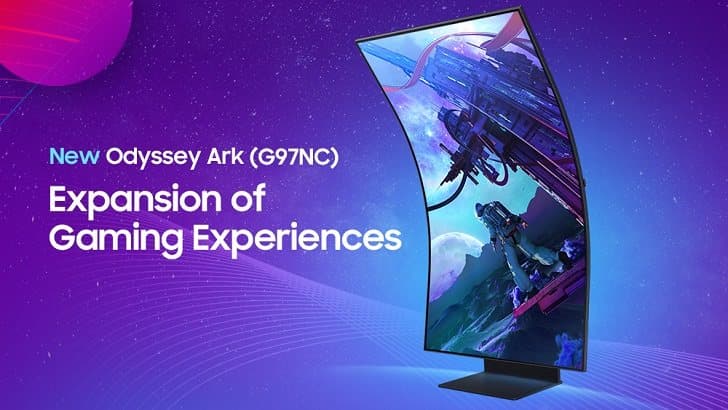
For three years the Ark was the screen in every high-end sim racing showcase, and it earned it. It is a 55-inch 4K 165 Hz VA panel with a 1,056-zone mini-LED backlight and the same 1000R curve as the new LG 52.
Three problems have caught up with it. The design dates from 2022 and Samsung has not released a successor. At roughly $2,500 to $3,000 per screen, a triple set costs more than a very good complete simulator. And stock has become inconsistent, so quoting a triple-Ark build today means gambling on availability. Between the 45-inch OLEDs, the 52-inch UltraGear, and the 55-inch C-series TVs, there is now a better answer at every point the Ark used to own.
The VR racer
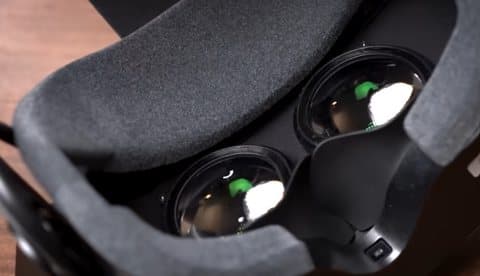
I'm getting excited about VR. I think it's the future of both high and low-end simulators since VR is the only option that gives you depth perception and the ability to look into an apex or over your shoulder. Racers who love it really love it. The ones who don't are getting their concerns addressed, and I think it could turn into the leading option in a few years. The current ladder of products looks like this:
- Meta Quest 3, $599. Where most racers start. Wired or wireless to the PC, and it does not need a flagship GPU to look decent.
- Pimax Crystal Light, $899. The clarity step up. Braking boards and dash numbers become readable.
- Pimax Crystal Super, from $1,599, with an Ultrawide lens option rated at up to 140 degrees, the widest in consumer PC VR.
- Pimax Dream Air and Crystal Super OLED, $1,999 to $2,299. Micro-OLED panels for night racing, and in the Dream Air's case a headset under 170 grams for long stints.
The trade-offs are real. Even the best headsets sit at 115 to 140 degrees of view against 160 or more for triples. Rendering two high-resolution eyes is expensive: OverTake measured a 30 to 40% frame-rate drop moving from their triples to a Pimax Crystal at the same settings. Some people get motion sick, particularly in rally. And you cannot see your button box, your phone, or the person walking into the room.
Our honest recommendation: VR is superb for hot lapping, practice, and short races. Triples win for endurance events, leagues, streaming, and anything over about 90 minutes. Plenty of our customers have run both, with the headset on a hook beside a triple-screen rig. Although if you're tighter on budget, we'll recommend the best option for you.
Rally and drift drivers
If you spend your time sideways, the side screens are not a luxury. In a drift car you are looking out the side window at the clipping point, and in rally you are reading the road well past the edge of any single screen. This is the strongest case for triples on any budget, and the one place we will talk a customer out of a 49-inch ultrawide even when the room is tight. VR also works well for drifting for the same reason: you can simply turn your head.
OLED Burn-In, What Is It
OLED screens will burn images into the screen over time. If you've heard about this and you're worried about it, don't be. Here's some data on it:
RTINGS has run an accelerated longevity test on more than 100 TVs for close to three years, cycling static news content for 18 to 20 hours a day at maximum brightness. By the 10,500-hour mark, every OLED in the test showed some image retention, and the 2023 panels were not statistically more resistant than a 2017 set, although they were far brighter and more efficient at the same time. On the monitor side, Monitors Unboxed deliberately abused an MSI QD-OLED as a desktop work screen and had visible artifacts after 4,500 hours.
What that means for a sim rig: 10,500 hours of worst-case use is roughly a decade of ordinary use, and sim racing is not worst-case. The image is constantly moving, except for the HUD, dash overlay, and virtual mirrors. Those are the risk. On our OLED builds we set the panel's pixel-shift and refresh cycles, run brightness below maximum, and configure the sim so the HUD is not glued to the same pixels for years. Do that and OLED is a sound choice for a display you will drive on for a decade. If you would rather not think about it at all, the 52-inch LG VA panel and the mini-LED options exist for exactly that reason.
The PC Behind the Screens
The display and the graphics card are one decision. Here is how the pixel load stacks up and what we would put behind it for high settings at high refresh.
| Display Setup | Pixels Rendered | GPU We Would Spec |
|---|---|---|
| Single 32" 1440p | 3.7 million | RTX 5070 class |
| Single 49" Dual QHD ultrawide | 7.4 million | RTX 5070 Ti / 5080 |
| Single 45" 5K2K OLED | 11.1 million | RTX 5080 |
| Triple 32" 1440p | 11.1 million | RTX 5070 Ti / RTX 5080 |
| Triple 45" 1440p ultrawide OLED | 14.9 million | RTX 5080 (5090 for headroom) |
| PC VR, Pimax Crystal Light | 16.6 million before supersampling | RTX 5080 / 5090 |
| Triple 55" 4K OLED TV | 24.9 million | RTX 5090 |
| Triple 45" or 52" 5K2K | 33.2 million | RTX 5090, and expect to use DLSS |
On the CPU side, sim titles are unusually sensitive to cache, which is why an AMD X3D chip like the Ryzen 7 9800X3D is the default in every build above the entry tier. It is also why a rig that runs a race full of AI cars smoothly is not the same rig that runs a hot lap smoothly.
Every simulator we deliver is spec'd as one system: screens, mount, PC, and cabling chosen together so nothing bottlenecks the rest. Tell us your budget and we'll put together a sim that fits your needs and wants.
Start My Quote →Why the Screens Are the Hardest Part to Do Yourself
Buying three monitors is easy. Getting three monitors to behave like one windshield is where most people rip their hair out. I honestly don't know how I still have hair. The list of things that have to be right is longer than it may seem:
- An integrated mount that holds 45 to 90 pounds of glass at the correct height and angle without flexing when the direct drive wheel kicks, or shaking on a motion platform.
- Side-screen angles that put every panel at the same distance from your eyes, then an in-game FOV that matches that geometry to the degree.
- Bezel correction and native triple-screen rendering in iRacing, Assetto Corsa Competizione, and Automobilista 2, rather than one stretched image across three screens.
- Adapters and cables that actually carry 4K at 120 Hz or better to TVs, and DisplayPort 2.1 bandwidth to 5K2K panels.
- OLED protection settings, HDR calibration, and a PC that holds a stable frame rate at the resolution you paid for.
Track Vision Sim Racing builds turnkey simulators and delivers and installs them across Dallas–Fort Worth. We spec the display around how you actually drive, mount it once on a chassis built for it, calibrate every game you play, and leave you with a rig that is ready the moment we walk out the door. Builds start around $8,000, triple-screen enthusiast rigs typically land between $11,000 and $20,000, and full motion systems start at $20,000.
Frequently Asked Questions
Are TVs really OK for sim racing?
Modern OLED TVs are.
An LG C5 or C6 runs 120 Hz or higher over HDMI 2.1 with variable refresh rate and very low input lag, which is everything a gaming monitor offers, in a bigger size at a lower price per inch. Older or budget TVs without HDMI 2.1 and VRR are not, so don't try them.
Do I need 4K for sim racing?
Not at normal sim racing distances. The jump from 1080p to 1440p is obvious; the jump from 1440p to 4K is subtle behind a wheel and roughly doubles the GPU load. You should spend the money on OLED and refresh rate first, and then go 4K or 5K2K only when the budget covers an RTX 5090.
How wide is a triple-screen setup?
Roughly seven feet for triple 32-inch monitors, eight feet for triple 45-inch ultrawides, nine feet for triple 52-inch, and ten feet for triple 55-inch TVs. Allow another foot or two of walking room on at least one side.
Is VR better than triples?
It is different. VR wins on depth and the freedom to look around. Triples win on field of view, comfort over long sessions, frame rate, and being able to see your hardware. Serious racers who try both usually end up keeping triples as the daily setup and VR for practice.
How much should I budget for the display on a custom simulator?
As a rule of thumb, 20 to 30 percent of the total build. On a $12,000 rig that is a strong triple 32-inch or a single 45-inch OLED. On a $25,000 rig it is triple 45-inch OLED with the PC to drive it. Above $30,000 the triple 55-inch OLED and 52-inch 5K2K options come into play.
Ready to stop racing through a letterbox? Fill out the custom quote form and we will come back with a full build plan for your space, your budget, and the racing you actually do.
Request a Custom Simulator Quote →Pricing and availability reflect US listings from LG, Samsung, Pimax, and major retailers as of September 2026 and change frequently. Field-of-view figures are approximate and depend on seating distance and screen angle. Sources are linked throughout.